
RCSpeedo - Google Play
You'll be able to see results in few seconds.
Publisher Description
Turn your mobile device into an RC airplane speedometer!
Features:
Listen and fly! RC Speedo will announce RC airplane speeds after each pass.
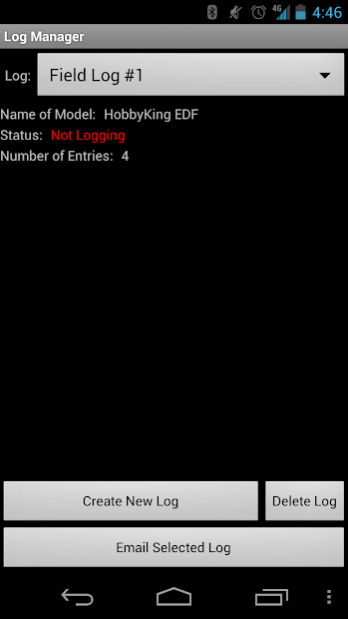
Easy to use speed logging and email export! Create custom logs to store your speeds for future review.
Share your speeds! Instantly post your top speeds to your favorite social networks.
RC Speedo is a speedometer app for EDF's, pylon racers, pushers, and other hi-speed electric radio-controlled airplanes. The application performs doppler analysis on the sound of an RC airplane passing in front of the mobile device’s microphone. This method of finding an RC aircraft's speed was pioneered by RC enthusiasts to accurately calculate the speed of a radio-controlled airplane using a clean sound clip of the airplane making a speed run past the pilot.
With RC Speedo the process is greatly simplified: just bring your phone to the field and hit "listen". As you make passes with your favorite airplane, the app will report your speeds back to you in real time!
The Android RC Speedo app runs on any Android device running version 1.6 (Donut) or higher. RC Speedo requires the device to have a built in microphone in order to operate.
The RC Speedo app works best with electric RC aircraft that have high RPM, high blade count propulsion systems. This includes EDFs, pylon racers, pusher jets, and similar airplanes. RC Speedo currently will NOT work on planes that are extremely quiet, operate at low RPM's, turbines, most nitro planes, and planes with no propulsion system. It also cannot detect aircraft traveling slower than 25 MPH. RC Speedo will NOT work with helicopters.
RC Speedo is not guaranteed to “hear” every pass. Ensure that the settings are correct for your aircraft and try to make straight and smooth passes. Please consult the manual page at www.rcspeedo.com for more information on settings and features. The makers of this app are not responsible for any damage caused to your phone, plane, or self while using this app. Fly safe!
To view a manual for the app and see videos of it in action, please visit:
http://www.rcspeedo.com/
About RCSpeedo
The company that develops RCSpeedo is Vesmar Utilities. The latest version released by its developer is 1.0 .
To install RCSpeedo on your Android device, just click the green Continue To App button above to start the installation process. The app is listed on our website since 2015-08-22 and was downloaded 0 times. We have already checked if the download link is safe, however for your own protection we recommend that you scan the downloaded app with your antivirus. Your antivirus may detect the RCSpeedo as malware as malware if the download link to com.neon.rcspeedo is broken.
How to install RCSpeedo on your Android device:
- Click on the Continue To App button on our website. This will redirect you to Google Play.
- Once the RCSpeedo is shown in the Google Play listing of your Android device, you can start its download and installation. Tap on the Install button located below the search bar and to the right of the app icon.
- A pop-up window with the permissions required by RCSpeedo will be shown. Click on Accept to continue the process.
- RCSpeedo will be downloaded onto your device, displaying a progress. Once the download completes, the installation will start and you'll get a notification after the installation is finished.
Program Details
System requirements
Download information
Pricing
Version History
version
posted on 2015-08-22
version
posted on 2015-08-21
- Fixes an issue where some users are unable to access the menu key.,- Fixes some text issues.,- Changes the app theme to match newer Android UI.
version 1.2
posted on 2011-04-25
Several fixes and updates
Disclaimer
Official Google Play Link
We do not host RCSpeedo on our servers. We did not scan it for viruses, adware, spyware or other type of malware. This app is hosted by Google and passed their terms and conditions to be listed there. We recommend caution when installing it.
The Google Play link for RCSpeedo is provided to you by apps112.com without any warranties, representations or guarantees of any kind, so access it at your own risk.
If you have questions regarding this particular app contact the publisher directly. For questions about the functionalities of apps112.com contact us.
